Pretty Girly Designs · Foam board sign
Wedding Capture the Love QR Code Photo Share Foam Board
Use this foam board sign for telling guests where to share wedding photos. The design includes a QR code.
Personalize on Zazzle (opens Zazzle in a new tab)- Product
- Foam board sign
- Collection
- Directional, Activity & Table Signs
What should our wedding photo-sharing sign say so guests know where to upload pictures?
Give guests one action beside the QR code. Try “Capture the love. Scan to add your photos to Alex and Sam’s wedding album.” Use the guest upload link for the code and test it on a phone signed out of your account. The foam board can greet guests at the entrance. The pedestal sign fits a table where they can stop and scan.
What should a wedding photo-sharing sign ask guests to do?
Give guests one action they can finish while the reception is happening. The sample below uses the headline above the camera, the instruction line just above it, and the names and date below.
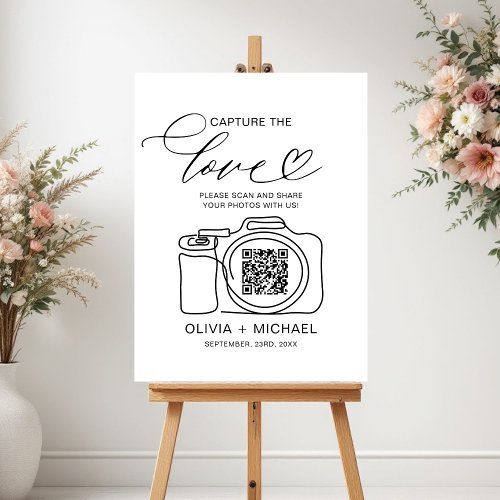
Example wording
- Heading
- Capture the Love
- Instruction above the camera
- Scan to add your photos to our wedding album.
- Names and date below
- Avery + Rowan June 12, 2027
Set the code to the guest upload link for your chosen album. From the final design preview, scan it with a phone signed out of the album owner’s account and try adding one test photo.
Personalize on Zazzle (opens Zazzle in a new tab)Test the destination you plan to share and check that guests have permission to upload.